Okta is a cloud-based identity and access management (IAM) platform that helps organizations securely manage user authentication, authorization, and single sign-on across applications. It enables businesses to protect user identities while simplifying access for employees, partners, and customers.
Overview
Using the Okta integration with Actuals users can be maintained directly from Okta. This document contains general information about Okta and describes the process of connecting the Okta to Actuals. The Okta integration allows the Okta to manage both user authentication (SSO) and user provisioning (SCIM) for the Actuals platform
SAML (SSO) is used to authenticate users. When a user logs in, authentication is handled by Okta.
SCIM is used to manage user lifecycle. Okta automatically creates, updates, and deactivates users in Actuals.
Together, these ensure that:
Users can securely log in via Okta to Actuals
User access in Actuals always reflects the user state in Okta
Okta acts as the source of truth for user identity and access.
How it works
1. User provisioning (SCIM)
Okta keeps Actuals in sync by making API calls to the SCIM endpoint:
When a user is assigned to the application → user is created
When user attributes change → user is updated
When access is removed → user is deactivated
This ensures that users exist in Actuals before they attempt to log in. The current flow is based on email address and the flow supports new users being created in the app. Similarly user account deletes are currently soft deletes in the Actuals platform
2. Authentication (SAML SSO)
When a user logs in to Actuals:
The user is redirected to Okta
Okta authenticates the user (e.g. MFA, policies)
Okta sends a SAML response back to Actuals
Actuals verifies the response and logs the user in
User identity is matched based on email.
3. Combined behavior
SCIM ensures the user account exists and is up to date
SAML ensures secure authentication via Okta
Both must be configured for a complete integration.
Okta Setup
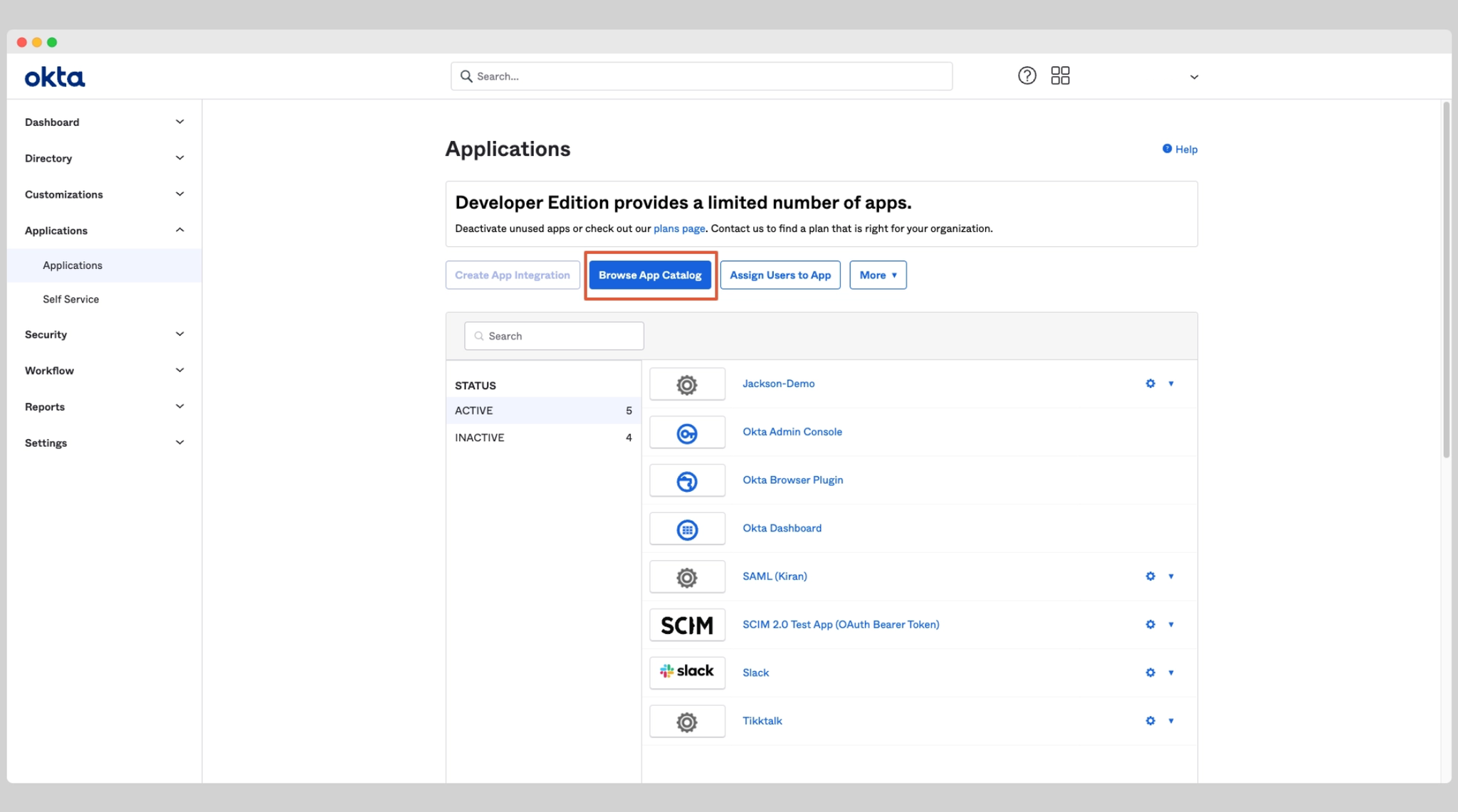
On the left-side menu, go to Applications → Applications.
Click Browse App Catalog.
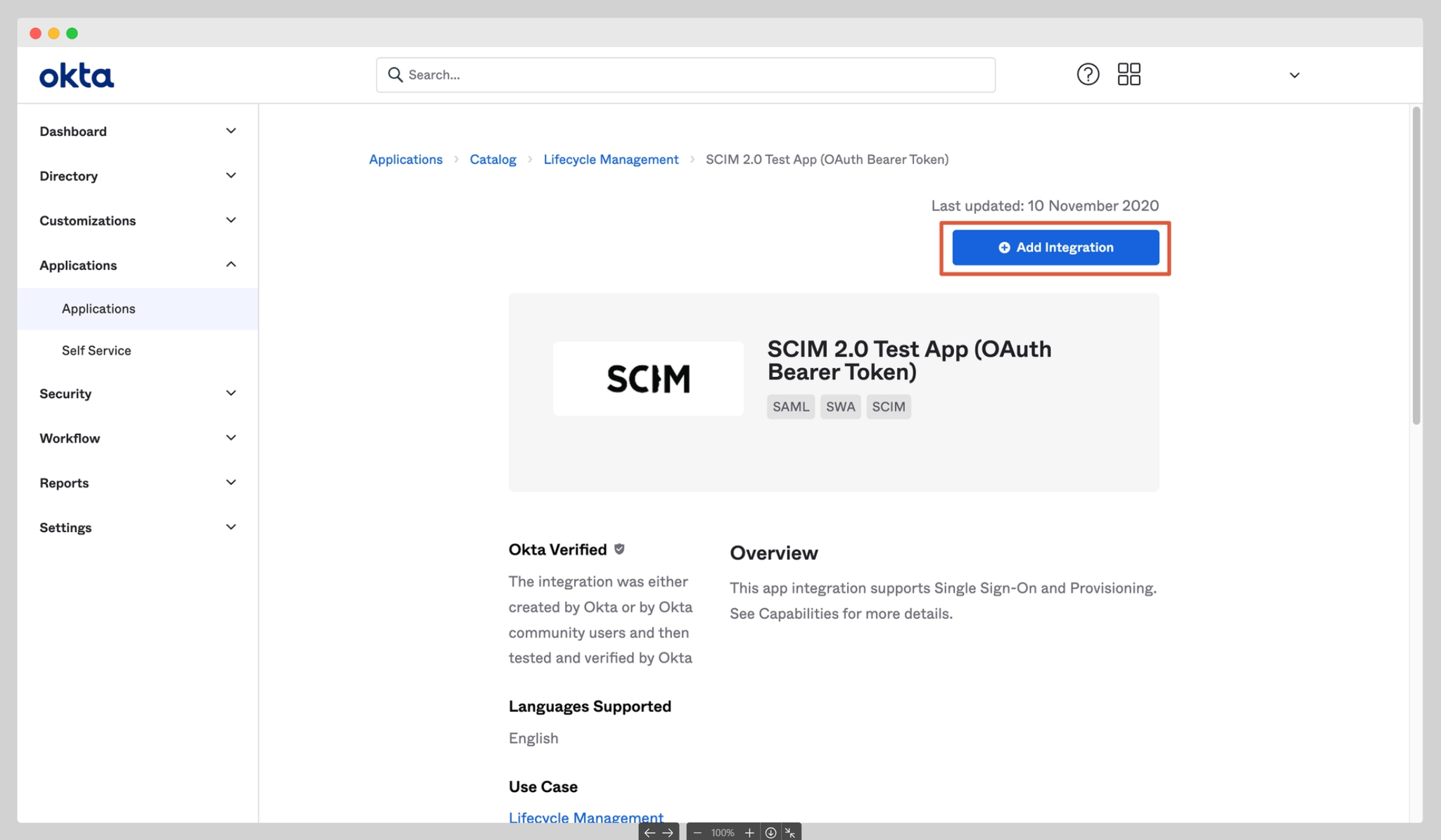
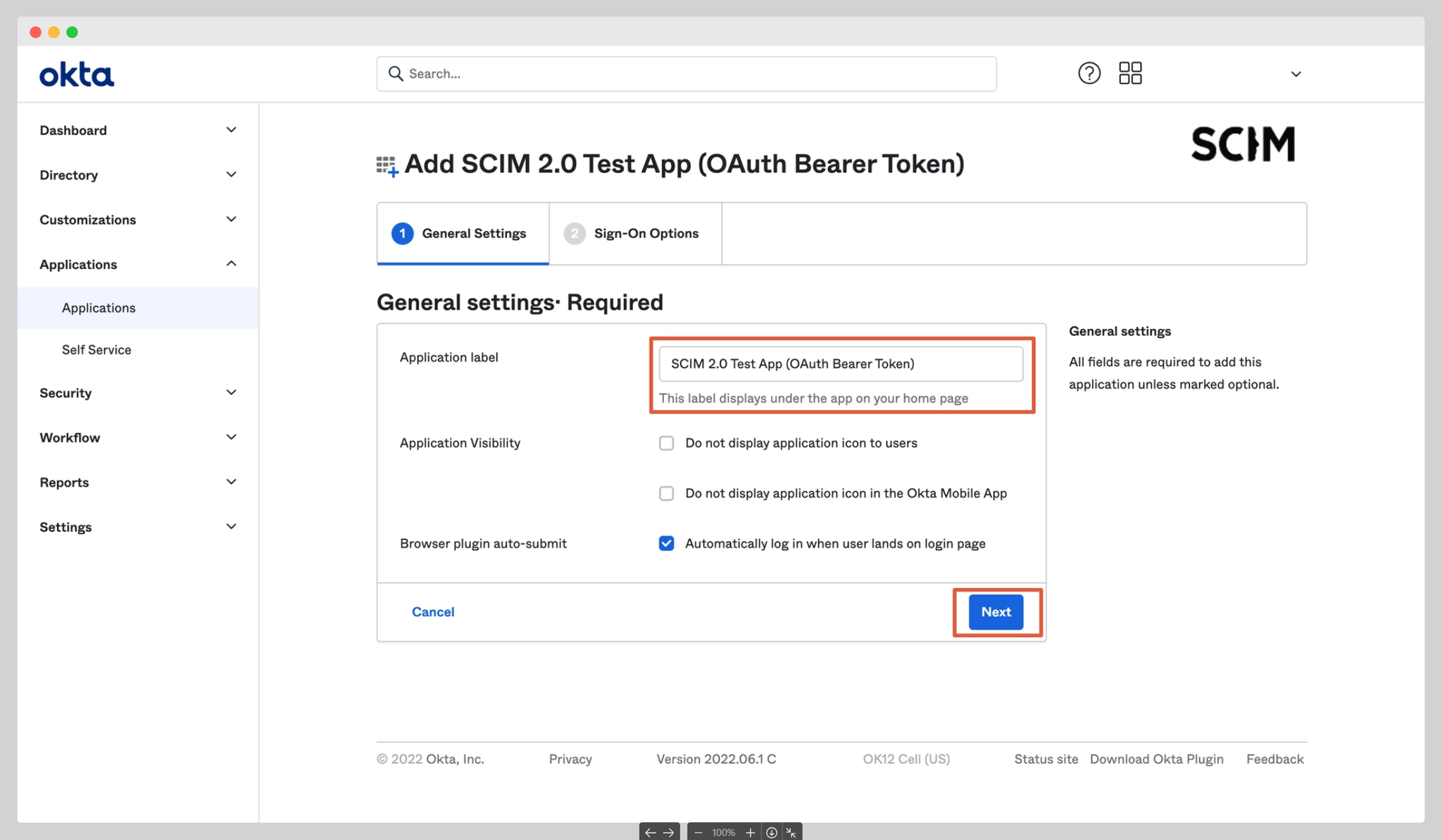
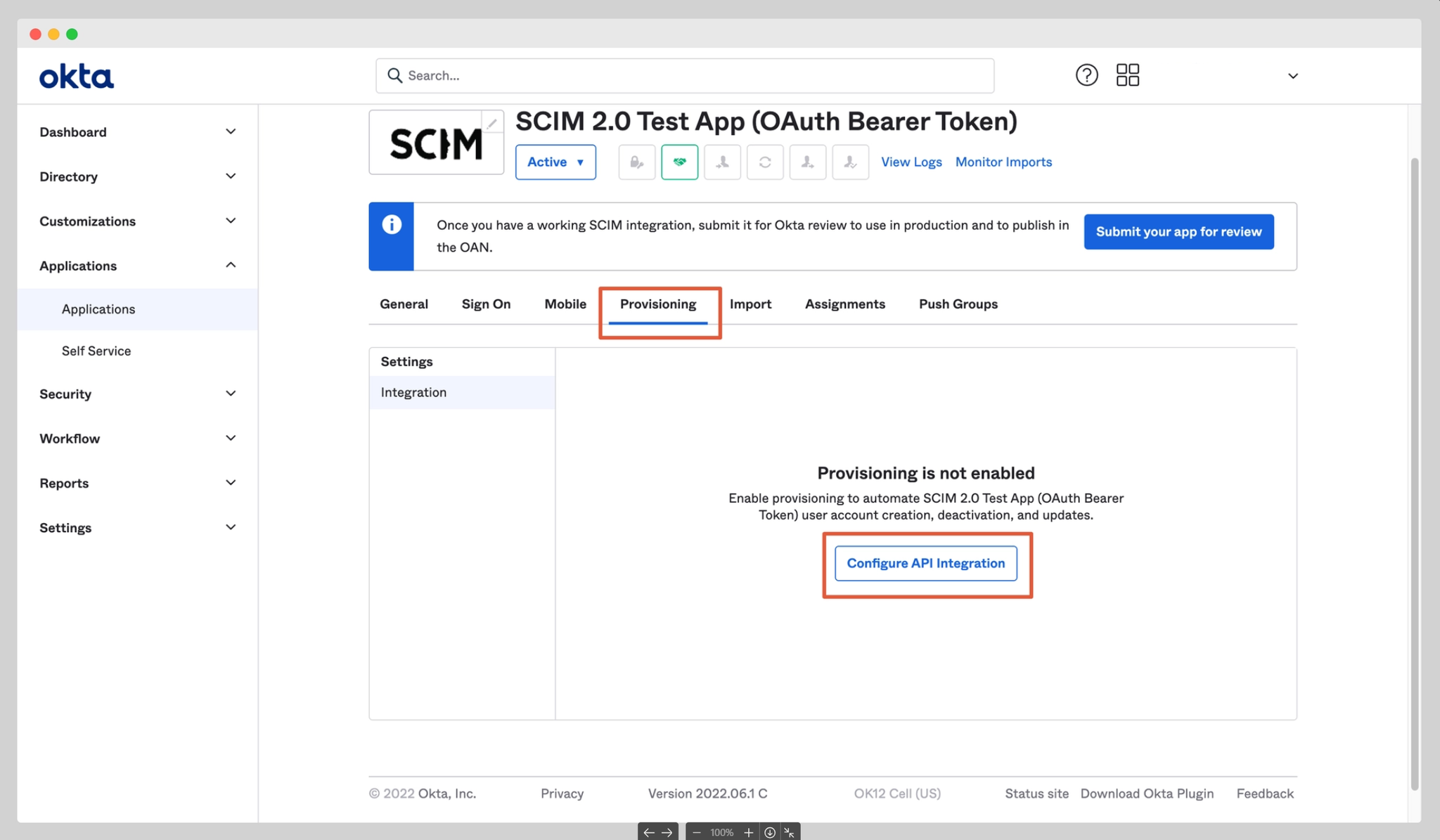
Search for SCIM 2.0 Test App (OAuth Bearer Token) and click Add Integration.
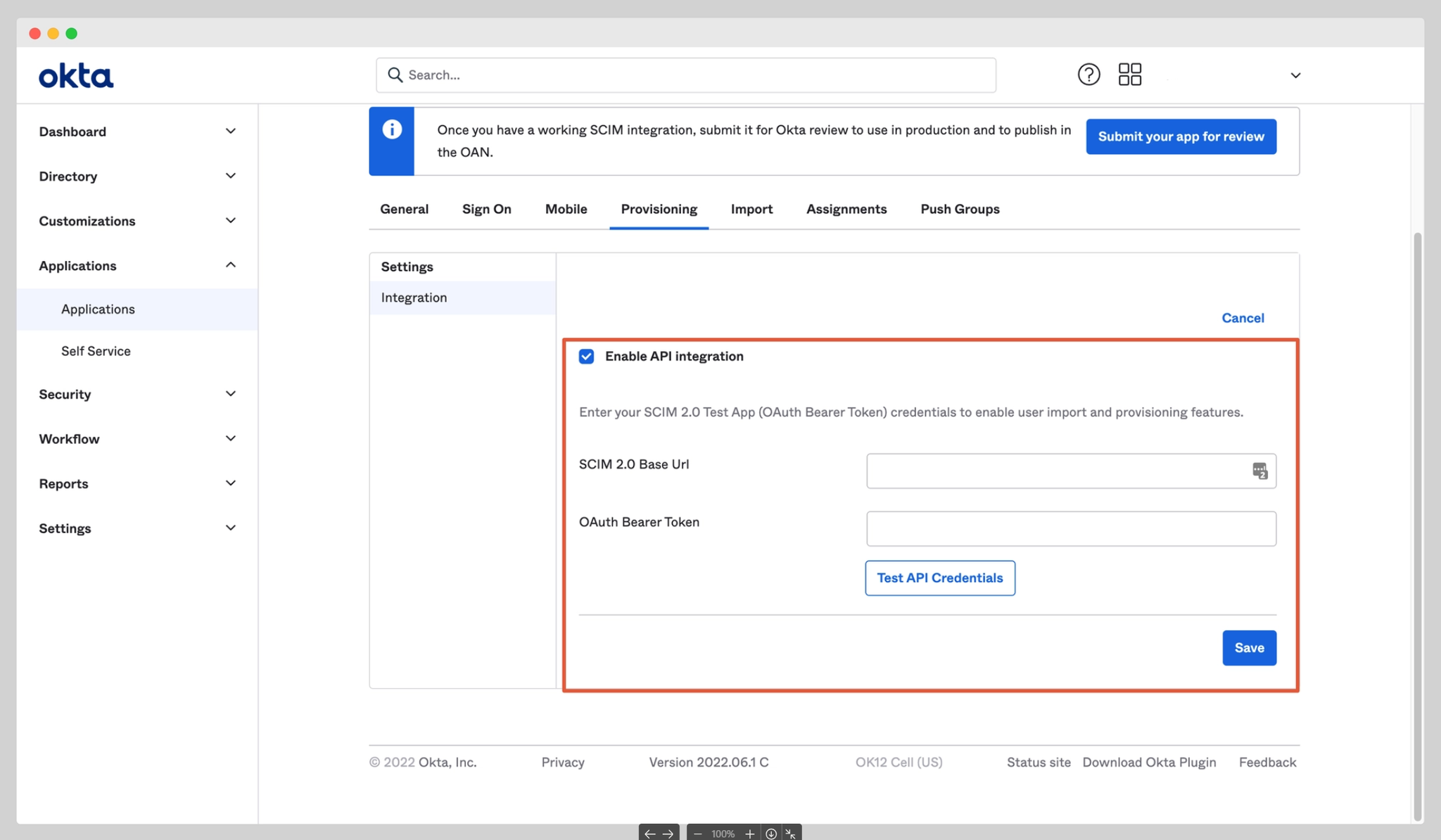
Authentication method: OAuth Bearer Token. The token will be provided by the Actuals support team
This URL and authentication details allow Okta to communicate with the SCIM API from the Actuals platform.
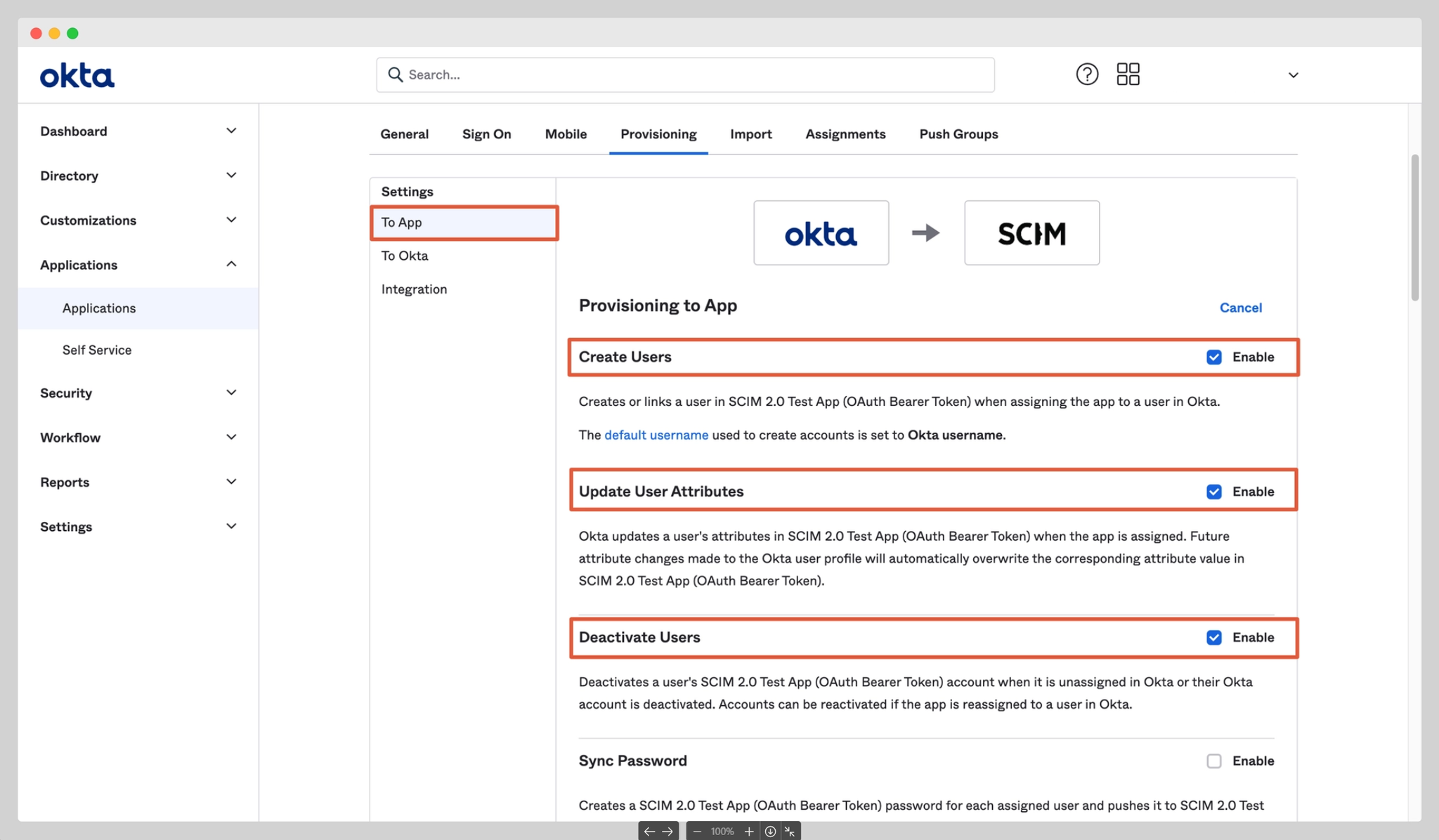
After connecting, go to the new Settings page and select To App on the left.
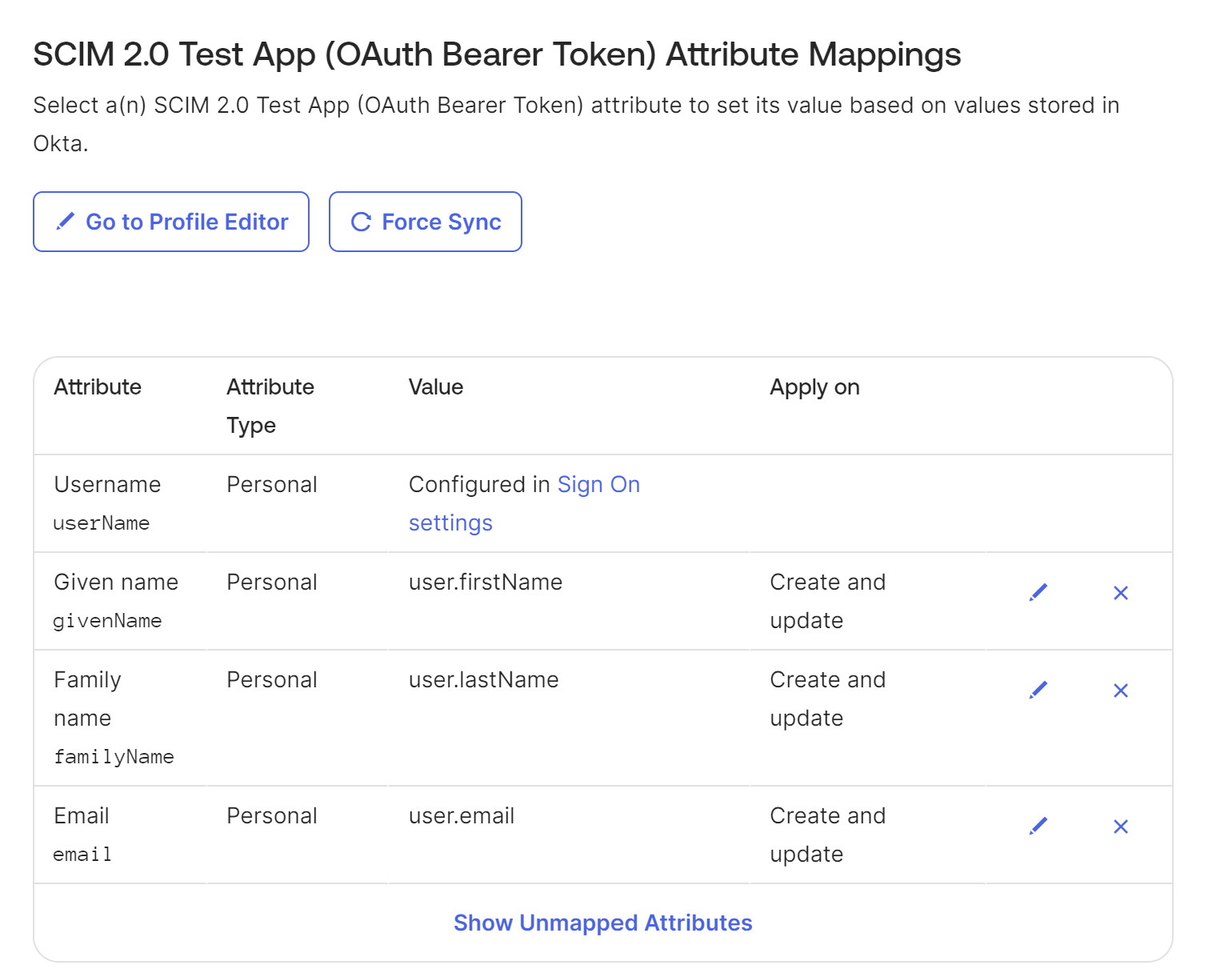
Make sure the attribute mappings are correct. If Okta sends more attributes than expected, the integration will fail.
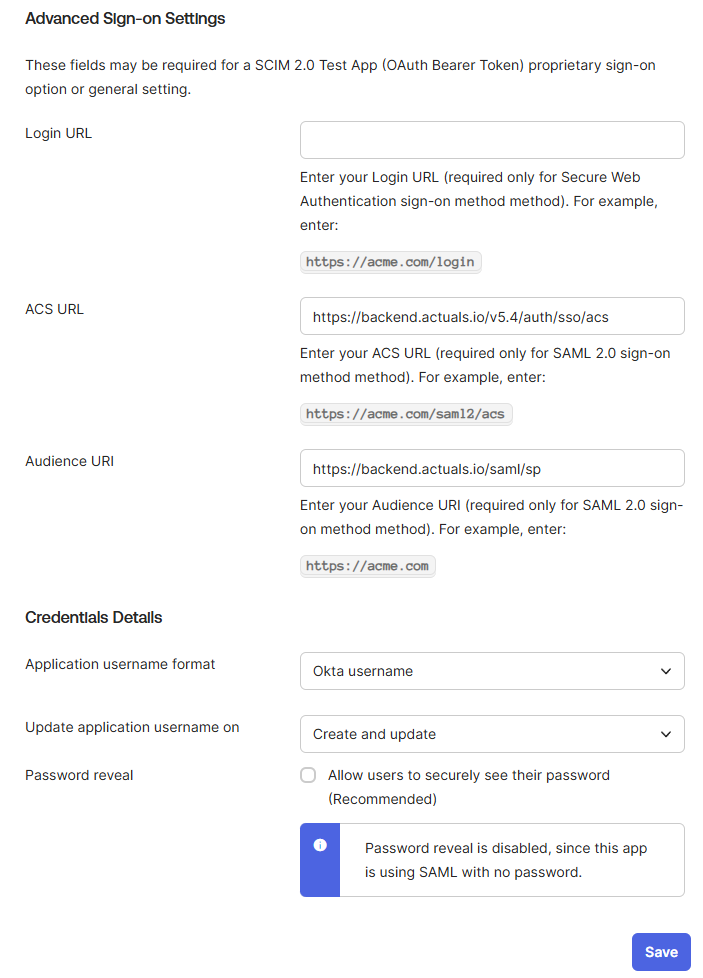
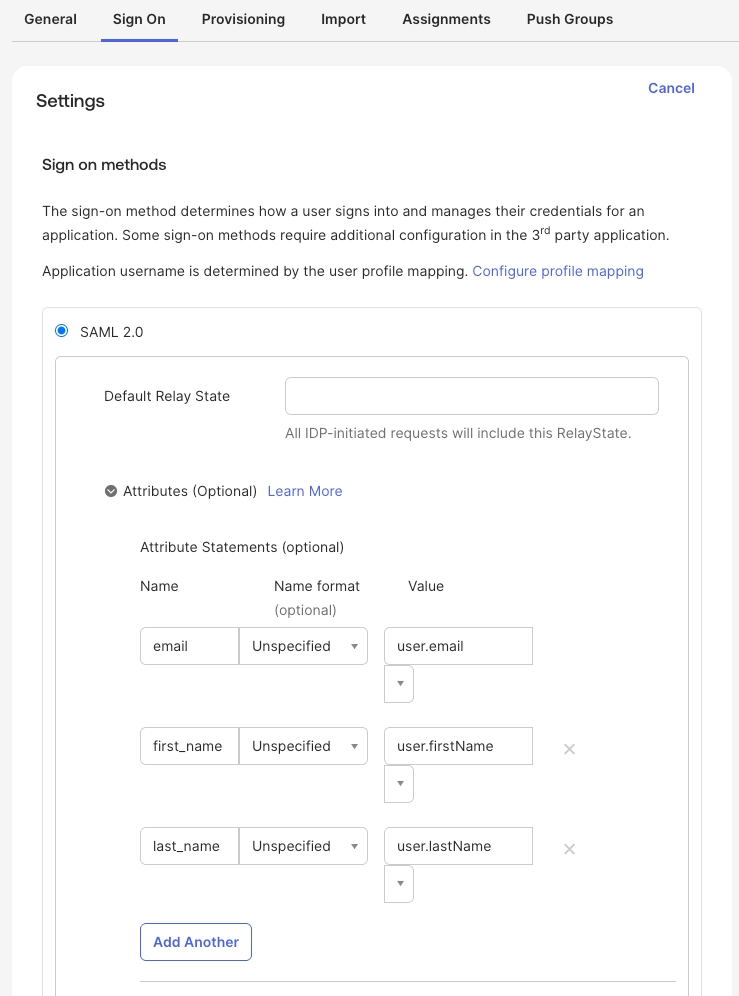
The final step is to configure the app to send a signed SAML response and signed assertion. Assertion encryption is not currently supported. In the Sign On tab → SAML 2.0 the attributes need to be mapped. We suggest to use the naming shown below, but if needed other names can be used. Specifically the naming used for the email, firstName and lastName properties need to be shared with the Actuals support team
Sharing details back to Actuals
The following properties needs to be shared with your Actuals support team
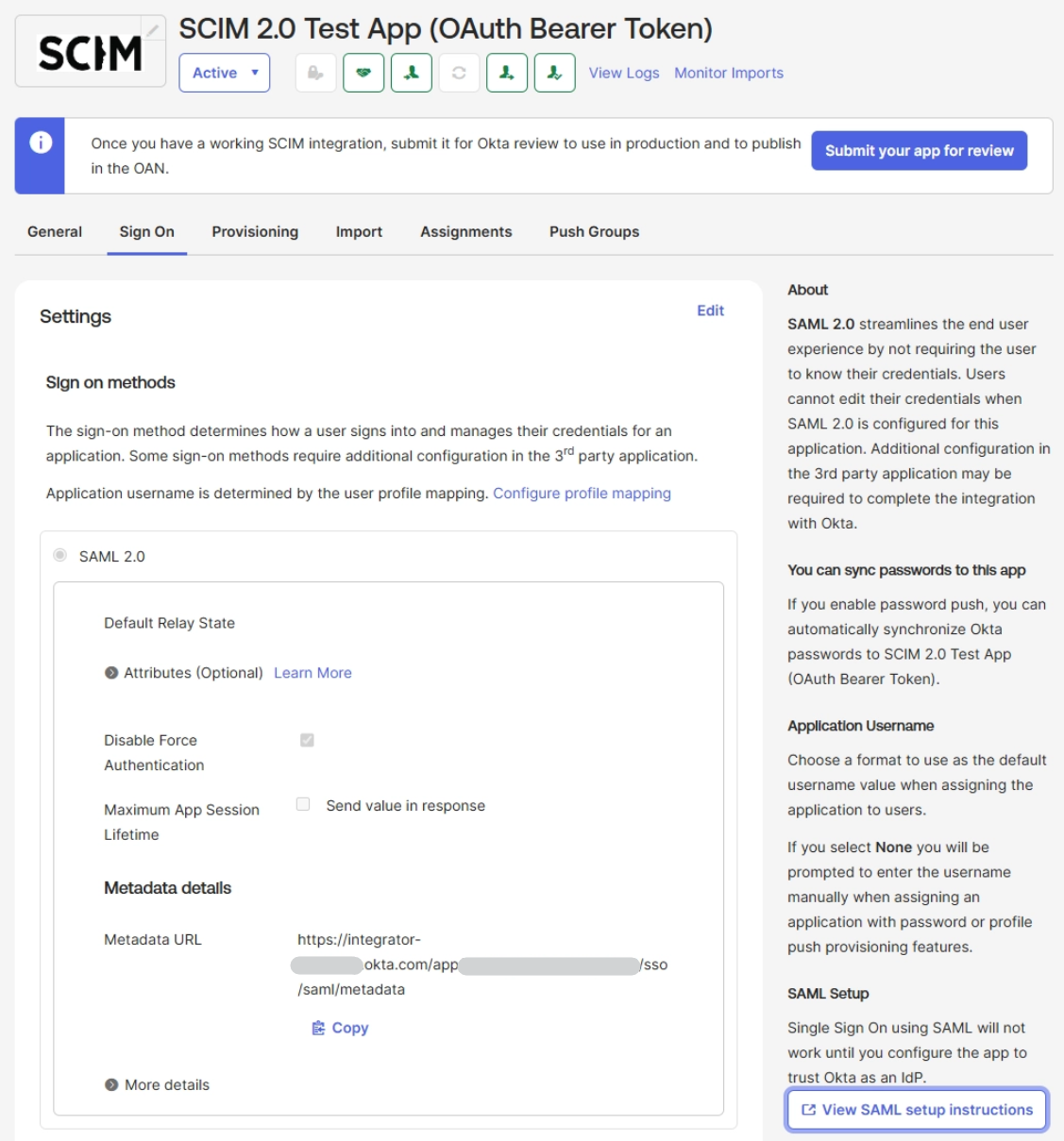
IdP Issuer (SAML Issuer ID)
IdP metadata URL (preferred) or metadata XML
These can be found by going to the Sign on tab. The Metadata URL is shown there directly while the IdP Issuer is found by clicking View SAML setup instructions
Additionally if other attributes than email, first_name, last_name are used, those need to be shared.
Completing the integration
After successfully completing these steps and sharing the properties, the integration will be configured on the platform side. We kindly ask for a temporary user to be created so the integration can be tested from the platform side. After the integration has been completed, users can be assigned to the app to complete the integration. Groups cannot currently be used as part of the integration