

Reporting is where company dashboards and pipeline monitoring live (formerly Insights and related views).
What you do here
- Open dashboards — embedded insights configured for your company.
- Review monitoring — rule evaluations across Import, Transformation, and Reconciliation, with trends and an event log.
Monitoring rules (what gets evaluated and who is notified) are configured under Administration › Monitoring Rules, not here.
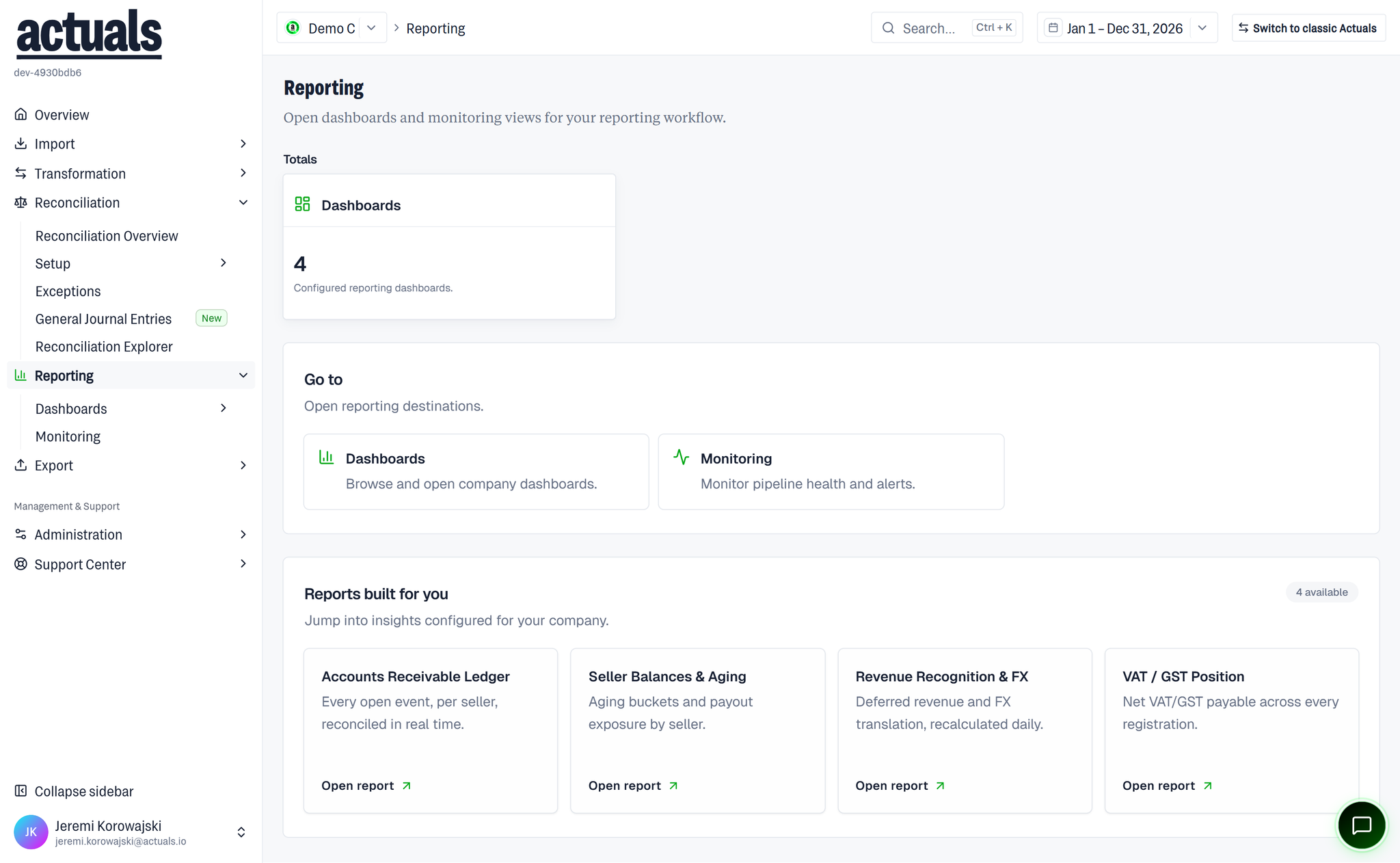
Reporting landing
The Reporting landing (
/reporting) uses the copy Open dashboards and monitoring views for your reporting workflow. It shows:- Totals — Dashboards count (Configured reporting dashboards.)
- Go to — Dashboards (Browse and open company dashboards.) and Monitoring (Monitor pipeline health and alerts.)
- Dashboard cards — one per configured dashboard (for example Balance sheet, AR - Open items), each with Open dashboard
Pages in this section
plain textReporting
├── Dashboards
├── Monitoring
└── General Ledger Dashboard (when enabled)
- Dashboards — browse and open company dashboards
 Monitoring — outcomes, trends, and the event log
- General Ledger Dashboard — available when the journalizing engine is enabled
DashboardsMonitoringGeneral Ledger Dashboard