

Reconciliation is where you match transactions across sources and ledgers, explain exceptions, and manage manual journal entries.
What you do here
- Configure matching — packages that compare two transaction groups, plus explanation categories and rules.
- Run matching — on a schedule or manually, after source transformation has run.
- Work exceptions — review unmatched items, explain or approve them.
- Inspect health — overview KPIs, explorer search, and optional journal entries.
Source processing lives under  Transformation. Matching usually runs after the Transformation Schedule.
Transformation. Matching usually runs after the Transformation Schedule.Reconciliation landing
The Reconciliation landing page (
/reconciliation) shows:- Totals — matching rate, unmatched volume, and matching package count for the selected report range
- Monitoring — recent reconciliation alerts (matching thresholds, filename segment checks) with Manage rules and View all events (Actions, Timestamp, Rule, Pipeline step, Source, Outcome)
- Go to cards — Reconciliation Overview, Exceptions, General Journal Entries, Matching Packages, Explanation Categories/Rules, Schedule, Manual Queries, and Reconciliation Explorer
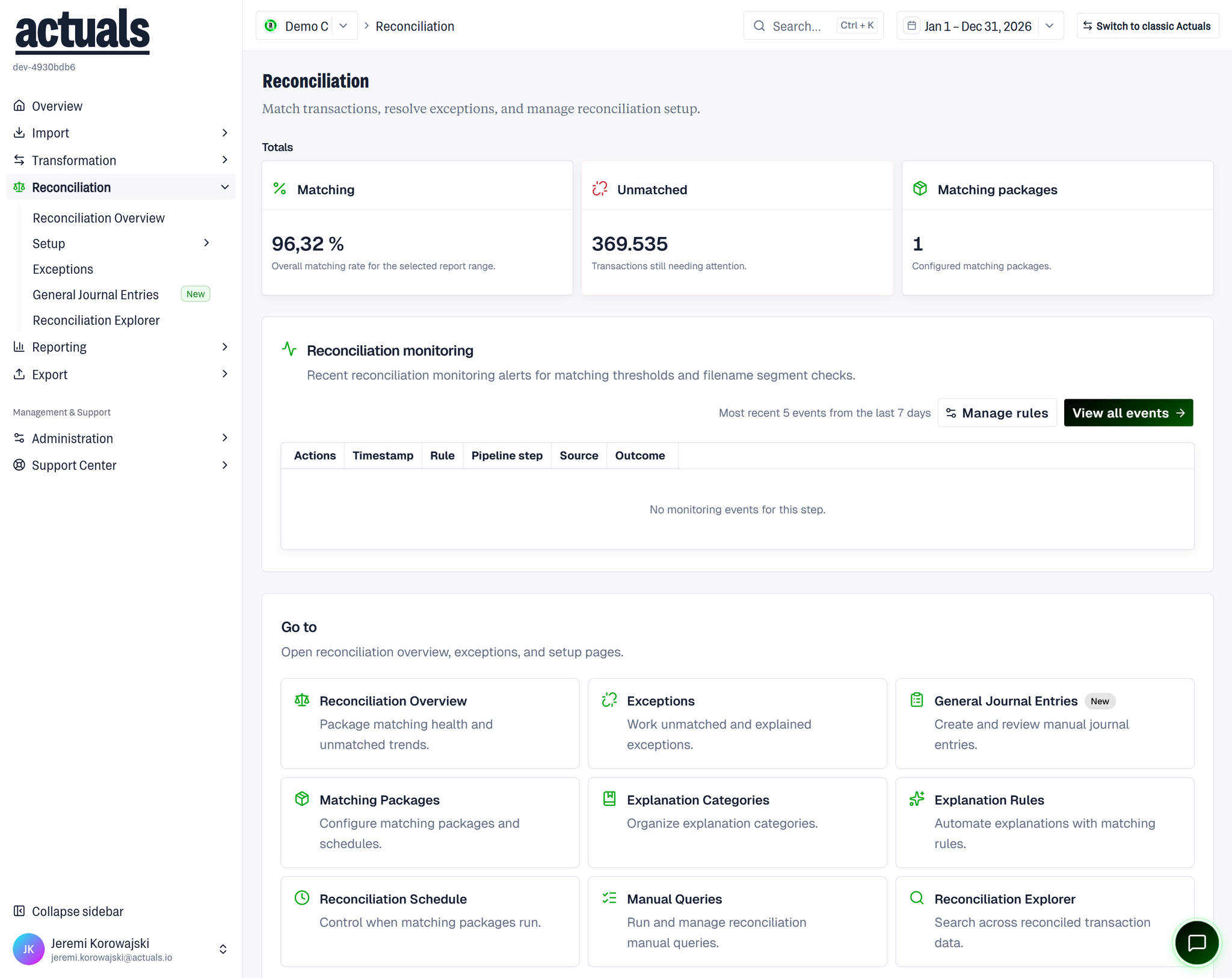
Package-level matching health lives on  Reconciliation Overview (
Reconciliation Overview (/reconciliation-overview).Pages in this section
plain textReconciliation
├── Reconciliation Overview
├── Setup
│   ├── Matching Packages
│   ├── Explanation Categories
│   ├── Explanation Rules
│   ├── Reconciliation Schedule
│   └── Manual Queries
├── Exceptions
├── General Journal Entries
└── Reconciliation Explorer
- Reconciliation Overview — matching health by package
 Setup — packages, explanations, schedule, queries
 General Journal Entries — manual journal entries
 Exceptions — unmatched / explained work queue (formerly unmatched transactions)
 Reconciliation Explorer — browse reconciled transaction data
Reconciliation OverviewSetupGeneral Journal EntriesExceptionsReconciliation Explorer