
Transformation Explorer
Browse and search transformed transactions after processing has run.
Open Transformation › Transformation Explorer in the app.
(Split from the old Transactions Viewer — reconciliation-focused browsing lives under Reconciliation Explorer.)
Filters
Narrow the grid with filters such as:
- Matching package and Match status (match status needs a package selected first)
- Ledger, Source, and File
- A date / period range (may show as Inherited from the company financial range; use Overwrite or Clear all as needed)
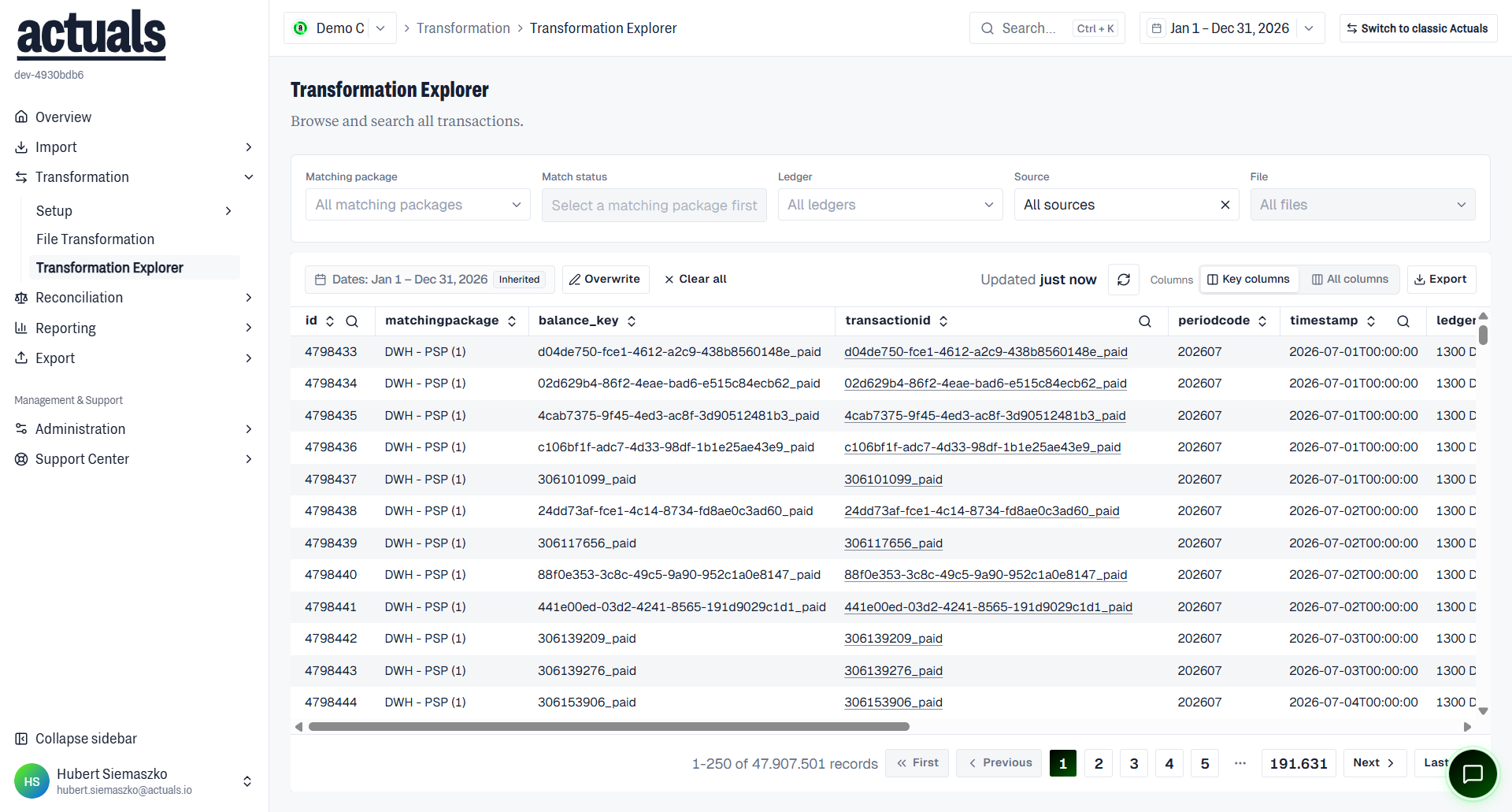
Toolbar actions include Refresh and Export. Use column visibility to show key columns or all columns. Common columns include
id, transactionid, periodcode, description, and amount.Export
Export starts a background export of visible transactions or all transactions matching the current filters (subject to an export cap). Files appear under Exported Files after a few minutes.
When to use this page
- Verify mapping output for a source or file
- Trace a transaction after a reprocess
- Spot unexpected ledgers, amounts, or match statuses before reconciliation work
For raw pre-mapping rows, use Import ›  Raw Data Explorer.
Raw Data Explorer.