
Reconciliation Overview
Matching health by package for the selected report range: overall rates, unmatched volume, and source trends.
Open Reconciliation › Reconciliation Overview in the app (
/reconciliation-overview). This is separate from the Reconciliation landing page (/reconciliation).KPIs
- Matching — share of transactions (or amount) that are matched in the report window (toggle Count / Amount)
- Unmatched transactions — volume still needing matching or explanation (badge Needs attention when open exceptions remain)
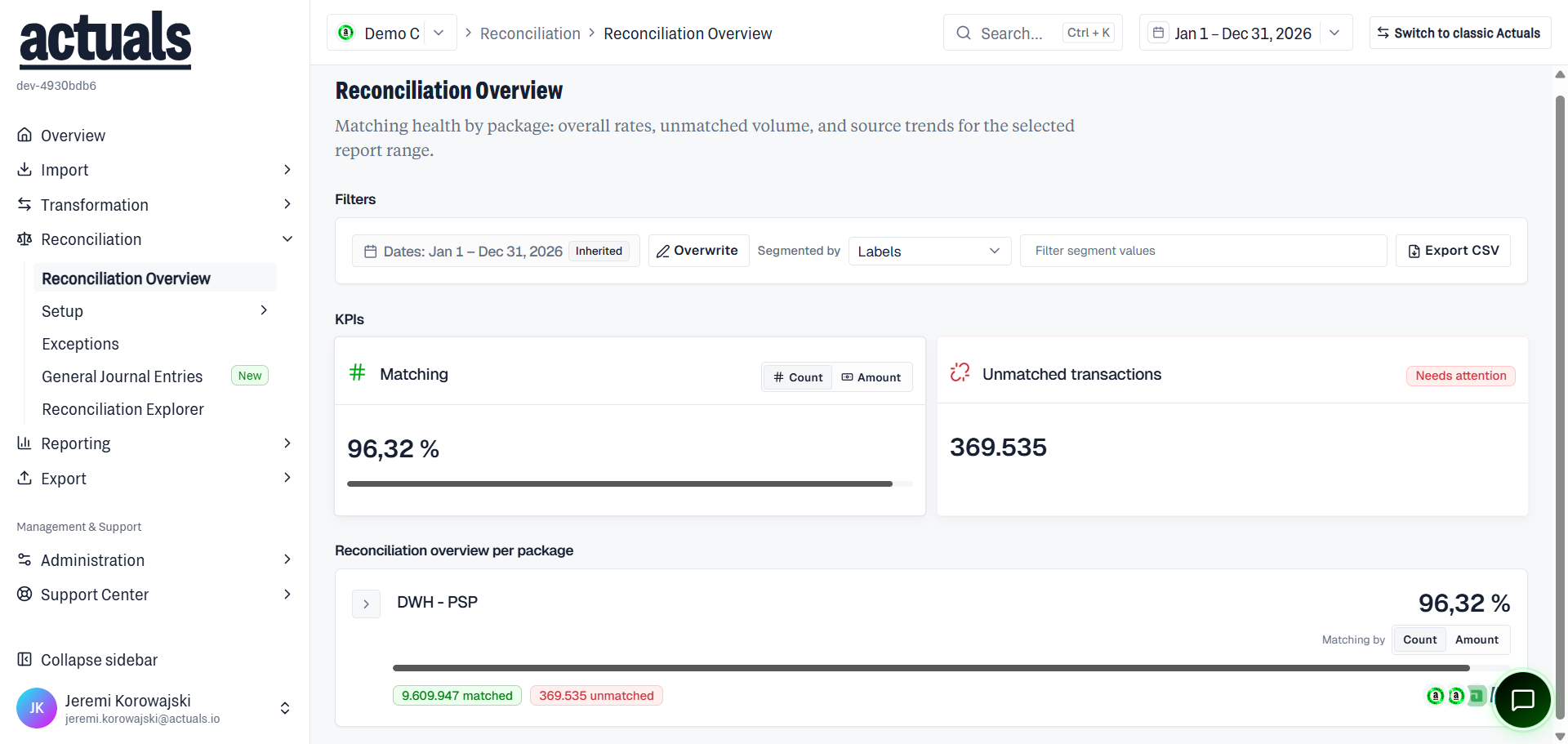
Filters
Date / period range (often Inherited), Overwrite, segment by fields such as Labels, filter segment values, and Export CSV.
Per-package overview
Section Reconciliation overview per package lists each package with matching %, expand for source/segment breakdown, and Count/Amount controls. Health states include Healthy, Watch, and Needs attention.
Unmatched clusters
For a package you can open clusters of unmatched transactions — groups of similar unmatched items with parameters, counts, and a link to view transactions.
Tips
If the page is empty, change the date range or clear segment filters. Work remaining unmatched items under  Exceptions.
Exceptions.