
Exceptions
Review transactions that still need to be matched or explained.
Open Reconciliation › Exceptions in the app.
(Formerly Unmatched transactions.)
What you see
A work queue of transactions that still need to be matched (description in-app: “Review transactions that still need to be matched.”). Use the date range (often Inherited from the company financial range — Overwrite / Clear all), Refresh, and Export.
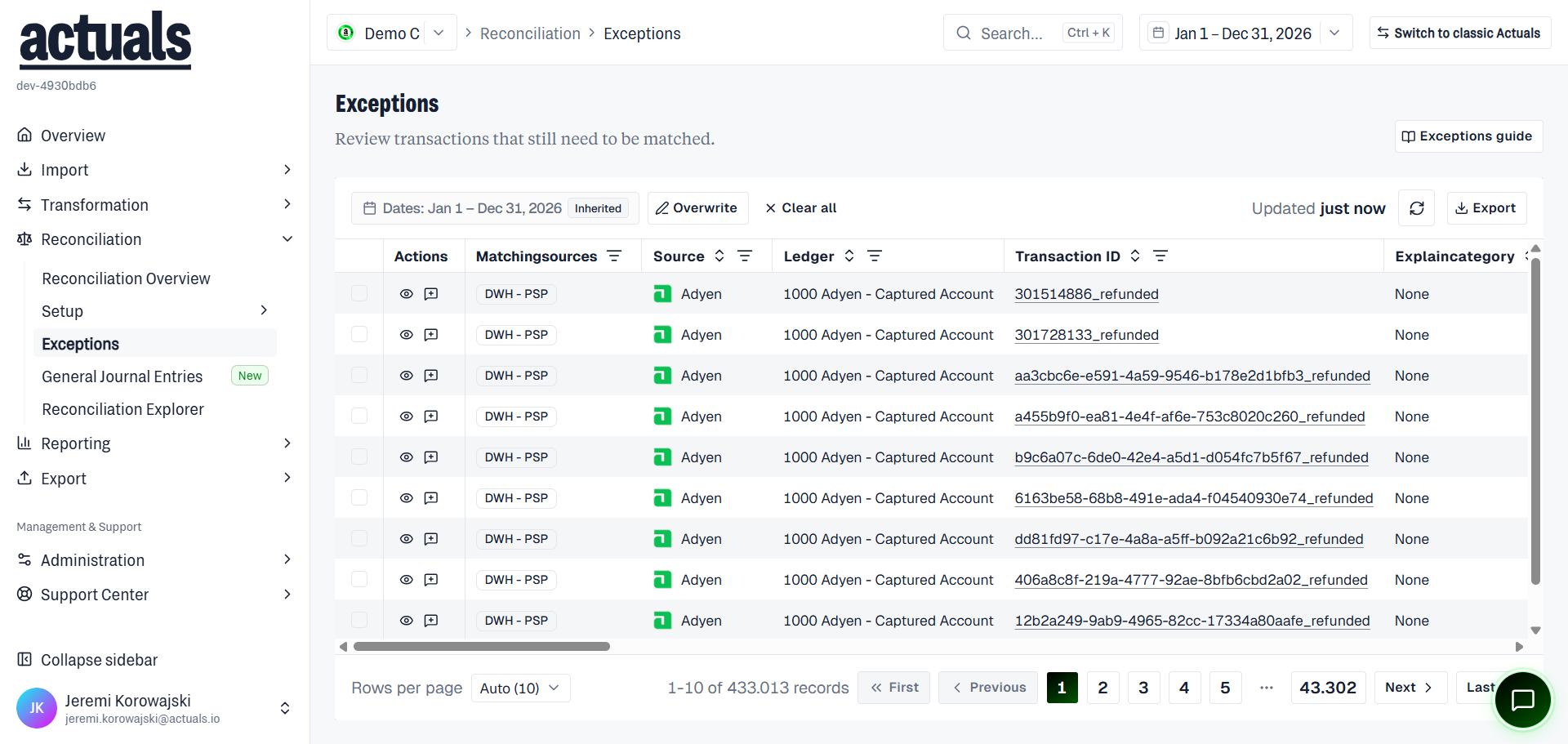
Typical columns include matching sources, source, ledger, transaction ID, explain category, status, timestamp, amount, matching difference, balance pattern, labels/supplier, and explanation fields. Row actions include View and Explain.
Explain and approve
Select compatible rows, then:
- Explain — assign an explanation category (and related action) for unmatched or rejected items
- Approve — confirm explained items that need approval, when your role allows it
Selection must be compatible (same explanation mode/category rules). Open a row to view transaction detail, matching-package status mix, and explain from the detail sheet.
Workflow tips
- Check
 Reconciliation Overview for which packages need attention
- Confirm matching packages and rules are configured under Setup
- Explain remaining exceptions here (or rely on
 Explanation Rules for automation)
- Re-run matching if configuration changed
Related
 Explanation Categories — category definitions
- Reconciliation Explorer — broader transaction search across match statuses