
Reconciliation Explorer
Browse and search transactions with a reconciliation focus — matching packages, match status, ledgers, and sources.
Open Reconciliation › Reconciliation Explorer in the app.
(Split from the old Transactions Viewer; Transformation Explorer covers the pre-reconciliation browse path.)
Filters
- Matching package and Match status (status filter stays disabled until a package is selected)
- Source, Ledger, and File
- Date / period range (may inherit the company financial range; Overwrite / Clear all)
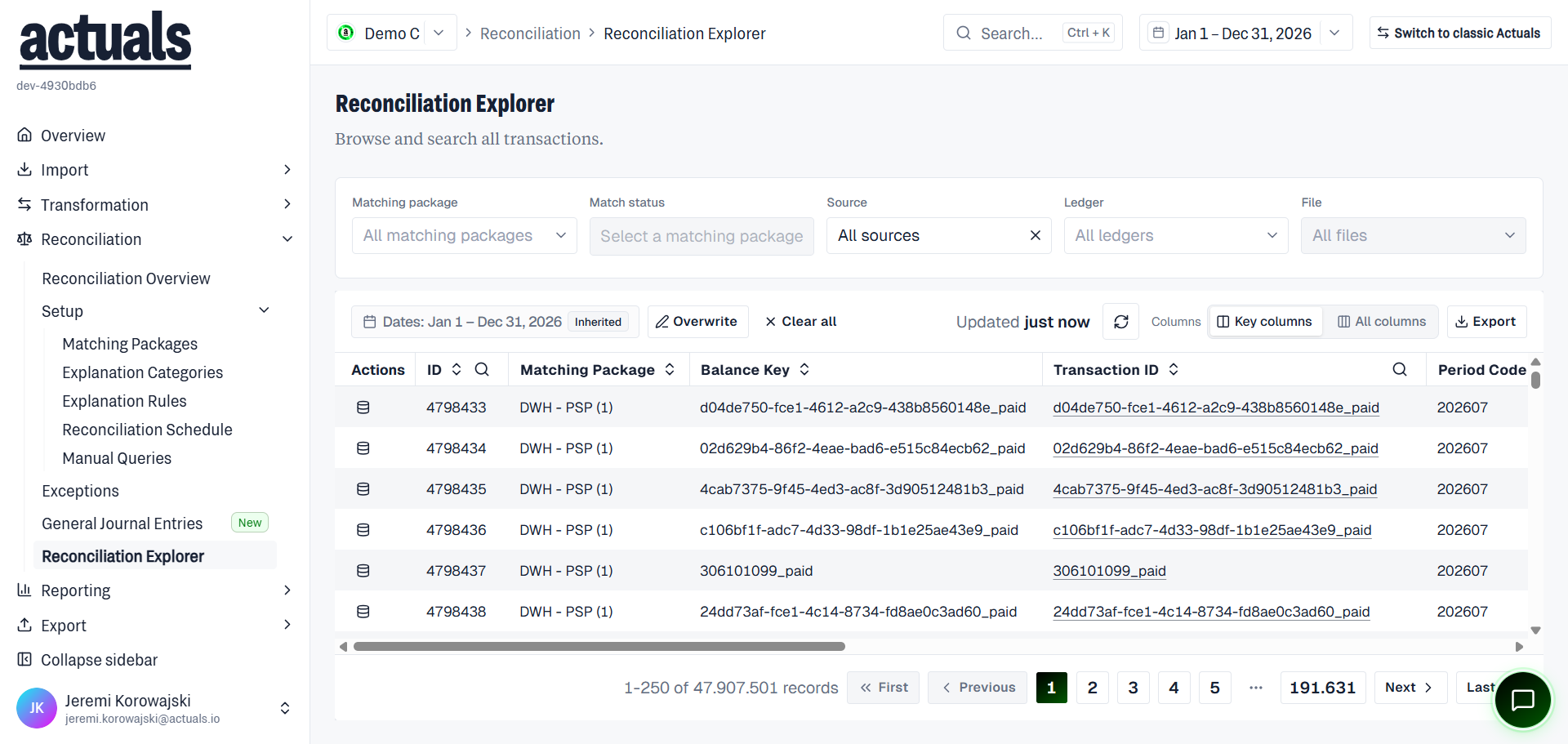
Use Key columns or All columns. Common columns include ID, Matching Package, Balance Key, Transaction ID, Period Code, Timestamp, Ledger, Description, Amount, and reporting amount fields. Row links include View raw data and the transaction ID. Toolbar includes Refresh and Export.
Export
Export visible transactions or all matching the current filters (subject to a large-row cap; exports appear under Exported Files after a few minutes).
When to use this page
- Inspect matched vs unmatched mixes for a package
- Trace a transaction after an explain or reprocess
- Pull a filtered extract for offline review
Day-to-day exception handling belongs on  Exceptions.
Exceptions.