
Matching Packages
A matching package defines which transaction groups to compare, the matching rules between them, and how/when the package runs.
Open Reconciliation › Setup › Matching Packages in the app.
What you can do
Configure transaction groups, matching rules, manual runs, processing order, and review the run log for previous jobs.
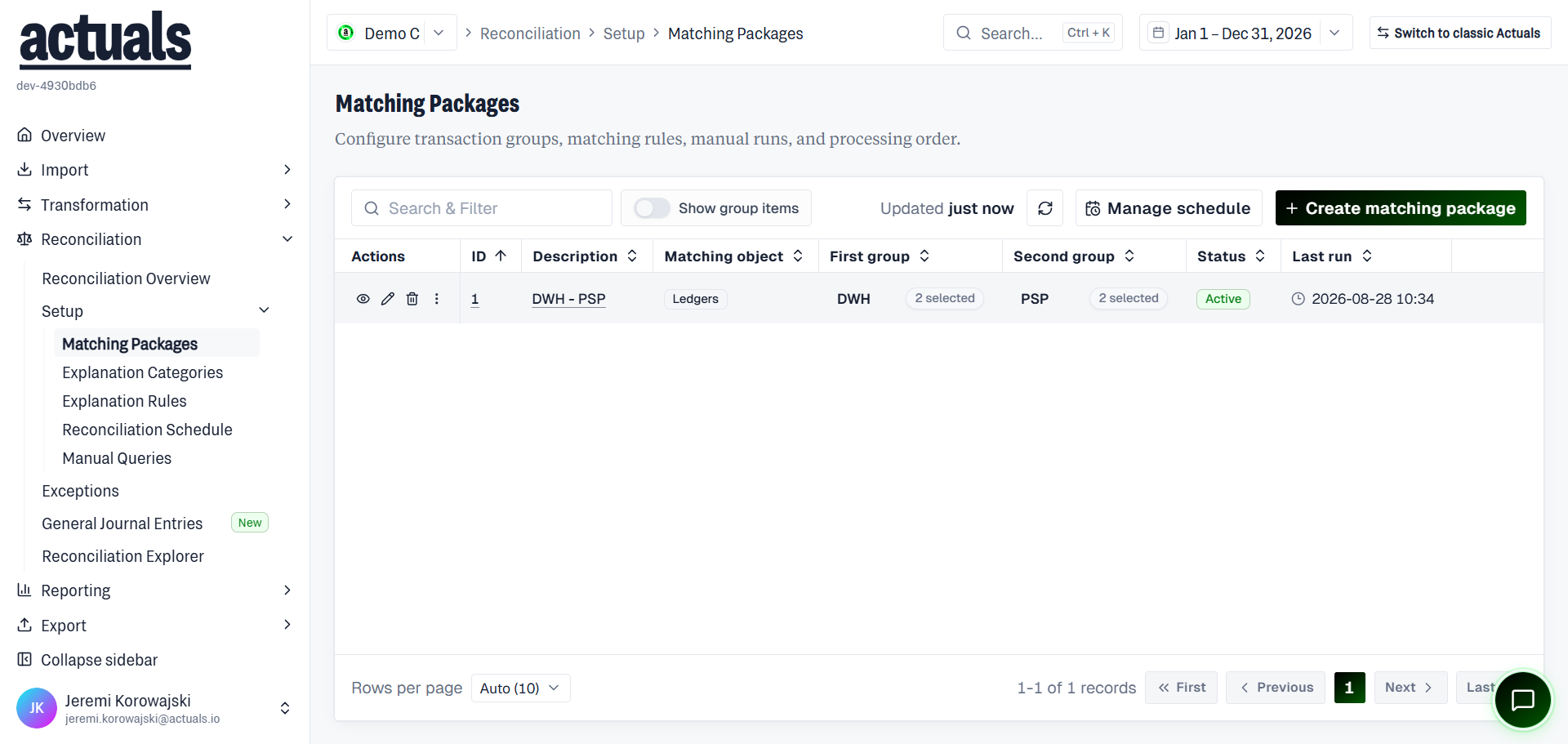
The list shows ID, Description, Matching object (Sources or Ledgers), First group, Second group, Status, and Last run. Use Search & Filter, Show group items, Refresh, Manage schedule, and Create matching package.
Create a package
- Choose Create matching package.
- Name the package and set status (Active / Inactive).
- Define two transaction groups (sources and/or ledgers) — first group vs second group.
- Configure matching and reporting fields (for example matching amount, reporting amount, reporting timestamp, balance key).
- Configure matching fields such as matching type (for example Matching package sum equals zero), Balance key, Matching amount, Reporting amount, and Reporting timestamp.
- Optionally enable Reprocess matched transactions when configuration changes should refresh existing matches.
- Save. Inactive packages are not available for matching or manual runs.
Transactions in the first group are compared with transactions in the second group using the package’s matching rules.
Run and redeploy
- Run matching package / Redeploy — process a specific date range or all available transactions
- Reprocess matched transactions — when configuration changes require a fresh match
- Run log — previous jobs with status, started time, job type, and information returned
Schedule
Use Manage schedule (or  Reconciliation Schedule) to add packages to the matching schedule, set order, and choose how many periods each run looks back.
Reconciliation Schedule) to add packages to the matching schedule, set order, and choose how many periods each run looks back.The matching schedule depends on the Transformation Schedule being active — source processing controls when matching can run.
Related
 Reconciliation Overview — health after runs
 Exceptions — work remaining unmatched items
 Explanation Rules — auto-explain unmatched items